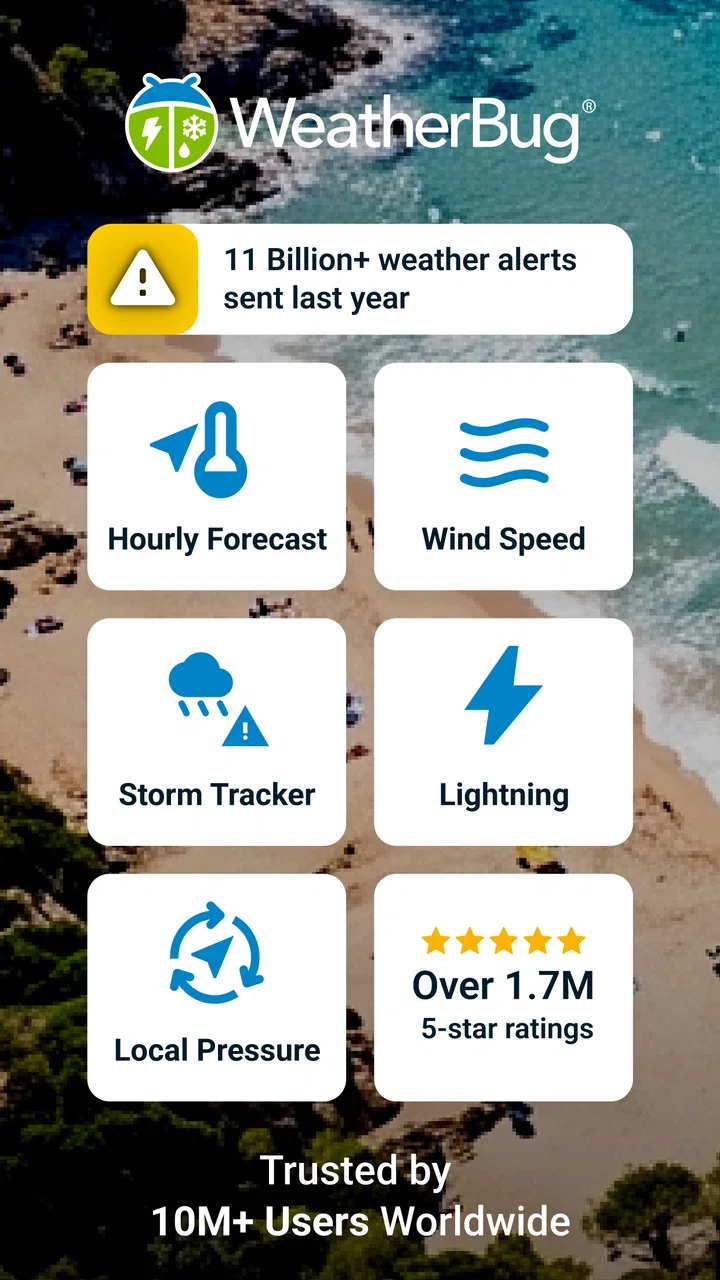
WeatherBug: Weather Forecast
- 4.6
- Rating
- 10.00M
- Installs
- Free
- Price

 Analysis by App-foxy
I use weather apps for decisions that are small but surprisingly important: whether to cycle to work, when to leave for an appointment, or if an outdoor plan needs a backup. WeatherBug: Weather Forecast, from WeatherBug, is built for that kind of everyday checking. It combines local forecasts with radar, storm tracking, rain alerts, and weather news in one place. My overall impression is that it tries to be more useful during changing conditions than a simple temperature display, while still keeping the basic forecast close at hand.
The app is free to download and is suitable for Everyone. It has reached over 10 million installs, with a 4.6 average from around 1.9 million ratings and roughly 414 thousand written reviews. Those figures suggest that it has become a familiar choice rather than a niche tool. Still, popularity is not the same as a perfect fit, so I paid particular attention to how much control the user has and how comfortable the app feels when weather information is personal or location-sensitive.
How WeatherBug earns trust in everyday use
My first test with a weather app is simple: can I understand the situation quickly without being pushed through unnecessary screens? WeatherBug is strongest when I open it with a specific question. If rain is approaching, the radar map gives me a visual sense of movement. If a storm is developing, the tracker and alerts make the app more relevant than a static daily forecast. If I only want to know whether I need a jacket, the local forecast is the faster route.
You May Also Like

 Blood Strike: 2.5 Anniversary
Blood Strike’s Loadouts Turn Every Drop Into a Tactical Gamble
A close look at Blood Strike’s custom loadouts: how fast access to signature weapons reshapes its battle royale rhythm, rewards preparation, and narrows the gap between fights.

 Pandora - Music & Podcasts
Pandora’s Music Is Easy to Start, but Harder to Recover
Pandora’s strength is its low-effort path from a seed to a station. Its weak spot is how much confidence it asks you to place in connection, setup, and quiet recovery.

 8 Ball Pool
 Is Built on Rivalries, Rematches, and Routine
A close look at the rivalries, rematches, shared routines, and unanswered safety questions that turn a quick pool match into a persistent mobile community.

 Samsung Music
’s Quiet Strength Is Playing What You Already Own
Its reach comes less from spectacle than from dependable access to a personal library. That simplicity is both the app’s strongest retention engine and its ceiling.

 AccuWeather: Weather Radar
AccuWeather Review: A Quick, Clear Forecast for Everyday Decisions
For everyday plans, the best forecast is the one you can understand quickly. AccuWeather makes rain timing, radar, and local conditions easy to act on, with a few trade-offs.

 Hill Climb Racing
Why Hill Climb Racing Still Turns Crashes Into One More Run
A tiny car, a bumpy hill and one more upgrade: Hill Climb Racing keeps resurfacing because its simple chaos makes every near-miss feel personal.
More From Our News Desk
View All News


That range is useful, but it also creates a busier experience than the default weather tool on many phones. A basic phone widget often wins for a two-second glance. WeatherBug makes more sense when I want to investigate why the forecast changed or whether a weather system is moving toward my area. I would not install it solely to replace a lock-screen temperature reading.
The developer is WeatherBug, and the current version is 5.120.0-9. It supports devices running Android 9 or later, which is worth checking before installation on an older phone or tablet. The app itself costs nothing to install, although in-app purchases range from $1.99 to $399.99 per item. That wide range makes it sensible to review any purchase screen carefully rather than assuming every useful function is included in the free experience.
What I look for before allowing weather access
Weather information is tied to place, so location access deserves more thought here than it might in a calculator or note-taking app. I would begin with the least access needed for my routine. If I normally check the weather for one town, entering or selecting that place manually is preferable to granting broader access when the operating system offers that choice. If I need conditions for my current position while travelling, I would enable location only for that purpose and revisit the setting afterward.
This is not about making the app unusable. It is about matching access to the job. A weather app can be convenient when it knows where I am, but convenience should not automatically decide how much location information I share. I also keep notifications focused. Live rain alerts can be valuable before a walk, while repeated storm or news notifications may feel excessive if I only want a quiet forecast.
WeatherBug’s store-facing summary highlights radar maps, storm tracking, local forecasts, live rain alerts, and NOAA news. I treat those as separate tools rather than one reason to leave every option switched on. Radar is something I open when timing matters. A rain alert is useful when I am away from a window. News can add context during a larger weather event, but it is not necessary for checking tomorrow morning.
Radar is most helpful when I use it as a decision tool
The radar map is not just a decorative animation. My useful workflow is to check the current view, look at the direction and shape of the precipitation, then compare that picture with the time I need to be outside. If a band is moving across the area, I can decide whether leaving ten minutes earlier will help or whether the whole journey needs a different plan. This is more practical than repeatedly refreshing a percentage-of-rain display.
There is an important trade-off: radar can create a false sense of precision. A map may show precipitation near me, but that does not guarantee the exact conditions on my street. Buildings, hills, wind, and local variation still matter. I use the map to improve a decision, not to treat it as a promise. For a serious storm, I would also pay attention to official warnings rather than relying on a single visual layer.
Rain alerts need careful tuning
Live rain alerts are one of the app’s more useful ideas for people who spend time outside. I can imagine using them before walking a dog, commuting on foot, or deciding whether laundry should stay indoors. The best approach is to treat an alert as a prompt to look at the radar, not as an instruction that removes all judgement. A short shower and a long period of heavy rain can require very different responses.
The less obvious issue is notification fatigue. If I allow every possible alert, the feature can stop feeling helpful because I begin ignoring all notifications. I would start with the narrowest alert choices available, test them for several days, and disable anything that does not change my behaviour. This is a small but important form of user control: an alert system should reduce uncertainty, not create another stream of noise.
Storm tracking and NOAA news add context, not certainty
Storm tracking is valuable when a weather event is developing and I need a broader view than the hourly forecast. It can help me understand whether a concern is isolated or part of a larger system. NOAA news can also provide useful context for readers who want more than a temperature and precipitation icon. I see these features as layers for understanding, especially when plans may be affected over several hours.
At the same time, more information can make an app feel authoritative even when the situation is changing quickly. I would not use a colourful map or a news item as a substitute for local emergency instructions. During dangerous conditions, the safest workflow is to compare the app’s information with official alerts and follow local guidance. WeatherBug can help me notice a developing problem, but it should not be my only source for safety decisions.
How I handle data-sensitive moments
The moments that deserve the most care are installation, location changes, notification setup, and any purchase flow. Installation is when I decide whether the app deserves a place on my phone. Location changes matter because a weather app may become more convenient when I travel, but that same convenience can make me less aware of what I am sharing. Notification setup determines whether the app serves me or interrupts me.
I also prefer to examine each visible choice instead of accepting a default setup automatically. If the app presents options for alerts, location, or paid features, I read the wording and choose deliberately. This habit is especially useful here because the free app includes optional purchases, with individual items priced anywhere from $1.99 to $399.99. I would never tap through a purchase screen casually, particularly if a subscription or larger package is presented alongside ordinary forecast controls.
For families, the Everyone content rating makes the app broadly approachable, but that does not remove the need for sensible device-level purchase protections. A child may understand a weather map without understanding the financial meaning of an in-app purchase. I would keep purchase authentication enabled and explain that the free download and optional paid items are separate things.
Who will get the most from it?
I think WeatherBug suits people who want to move between quick forecasts and deeper weather context. It is a good match for commuters who need rain timing, parents planning outdoor activities, runners watching changing conditions, and travellers who want a radar view instead of a single icon. It is also useful for anyone who likes to investigate a forecast rather than accept a simple “rain” or “clear” label.
A realistic example would be a morning commute with a meeting across town. I would first check the local forecast, then open the radar to see whether the rain is already moving in or likely to arrive later. If the timing looks uncertain, I would enable a focused rain alert and check the map again before leaving. That workflow gives me a practical answer: walk, carry waterproof clothing, or choose another form of transport.
The app is less appealing if I want an almost invisible utility. Someone who only checks today’s high and low may prefer the phone’s built-in weather screen. People who dislike notifications should also be selective during setup. And if I need highly specialized information for aviation, marine travel, agriculture, or emergency response, I would choose a service designed specifically for that field rather than expecting a general weather app to cover every professional requirement.
Where it compares well—and where alternatives win
Compared with a basic system weather widget, WeatherBug offers a more investigative experience through radar, storm tracking, rain alerts, and weather news. That is its clearest advantage. I can move from “what is the temperature?” to “what is approaching, and when might it affect me?” without changing apps.
Compared with a dedicated radar service, however, its broader design may feel less focused. A specialist radar tool may be preferable for someone who spends most of the day studying precipitation movement. Compared with a minimal forecast app, WeatherBug can also feel like more than is necessary. My choice would depend on the question I ask most often: quick conditions favour a simpler option, while changing weather and outdoor planning make WeatherBug more worthwhile.
The app’s reputation is reassuring at a glance: a 4.6 average, more than 10 million installs, and a large volume of ratings and reviews show substantial use. I still would not treat those numbers as proof that every alert will suit every location or that the interface will match every preference. Weather varies locally, and people differ in how much detail and interruption they want. Trust comes from checking the controls myself and using the app within those limits.
Small habits that make the experience better
I would keep one favourite location for ordinary planning and avoid constantly changing settings just to inspect another place. When travelling, I would check the local forecast manually and then remove or replace the temporary location when the trip ends. This keeps the app’s information relevant and reduces the chance of following yesterday’s destination by mistake.
I would also separate “planning” from “monitoring.” For planning, a forecast and radar check are enough. For monitoring, I would use only the alerts that can genuinely change my next action. Mixing every option together makes it harder to know which notification deserves attention. This distinction is especially helpful for people who work outdoors: radar can support a scheduled decision, while a live alert can prompt a last-minute change.
Finally, I would check the app after an update rather than assuming my preferences remain exactly as before. The current version is 5.120.0-9, and updates can alter layouts or the way settings are presented. I do not see that as a reason to avoid updating; it is simply a reason to spend a moment confirming location, notification, and purchase choices after the app changes.
My cautious recommendation
After using WeatherBug as a weather companion rather than a passive widget, I find it most convincing when conditions are uncertain. The radar map, storm tracking, local forecast, rain alerts, and NOAA news give me several ways to understand what is happening. The value is not that one screen magically predicts my exact street; it is that I can combine timing, movement, and context before making an ordinary decision.
My recommendation comes with clear boundaries. I would install it if I wanted more than a basic forecast, and I would take time to limit location access and notifications to what I actually need. I would review optional purchases carefully, especially because the in-app price range is broad. During serious weather, I would use it alongside official local guidance instead of treating it as an emergency authority.
WeatherBug is a strong choice for informed everyday planning, provided I stay in control of its access, alerts, and optional spending. If I wanted the quietest possible weather glance, I would choose the built-in alternative on my phone. If I wanted a wider view of changing conditions without jumping between several tools, this app would be the one I would recommend to a friend.
FAQs for WeatherBug: Weather Forecast
01What features does WeatherBug: Weather Forecast offer?
WeatherBug provides real-time weather updates, extended forecasts, and severe weather alerts. It includes features like radar maps, lightning detection, and air quality information. Users can also access lifestyle forecasts, which offer insights into how the weather may impact various activities such as travel and outdoor sports.
02Is WeatherBug: Weather Forecast available for free?
Yes, WeatherBug is available as a free download on both Android and iOS platforms. However, it offers in-app purchases and a premium version, which removes ads and unlocks additional features like advanced weather maps and extended forecasts.
03How accurate are the weather forecasts provided by WeatherBug?
WeatherBug utilizes data from professional-grade weather stations and satellites to deliver accurate and reliable weather information. It provides hyper-local forecasts, which means it can offer precise weather conditions for specific locations, enhancing its accuracy compared to other apps.
04Does WeatherBug: Weather Forecast consume a lot of data or battery?
WeatherBug is designed to be efficient in terms of data and battery usage. While it provides real-time updates and detailed maps, it optimizes data consumption by allowing users to customize update frequency and map usage. However, frequent use of radar and video content might increase data and battery consumption.
05Can WeatherBug send severe weather alerts?
Yes, WeatherBug can send severe weather alerts directly to your device. Users can customize alert settings to receive notifications for specific types of severe weather, such as thunderstorms, tornadoes, and heavy rain, ensuring they stay informed and prepared for any weather emergencies.
Pros
- Accurate and timely weather updates.
- User-friendly interface with clean design.
- Comprehensive radar and map features.
- Customizable alerts for severe weather.
- Extensive global weather coverage.
Cons
- Contains ads that can be intrusive.
- Some features require in-app purchases.
- Occasional issues with app stability.
- Frequent updates may use data.
- Battery consumption can be high.

WeatherBug: Weather Forecast
Gallery